
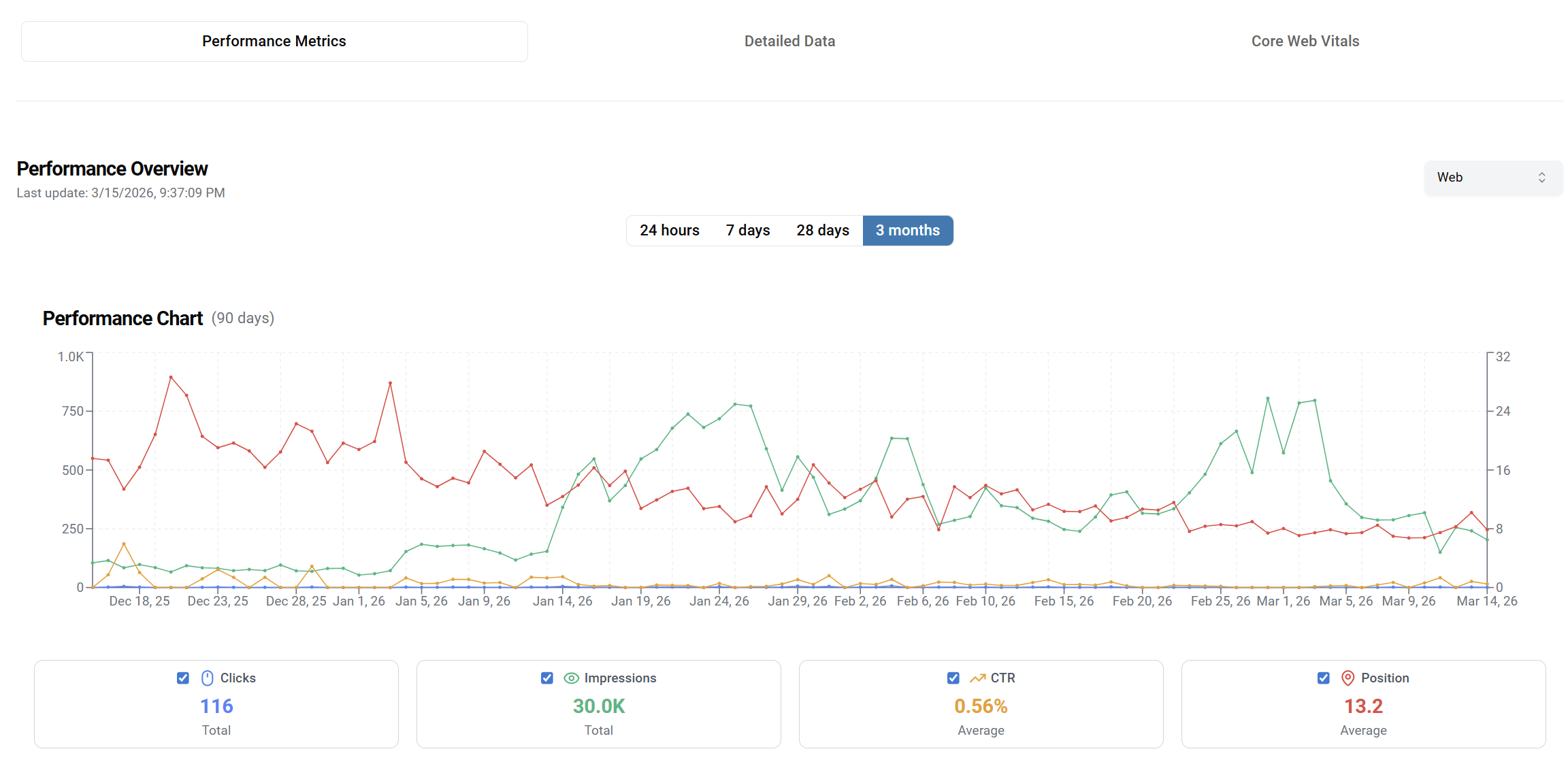
You did everything right. You hired a translation agency. You set up hreflang tags. You published 50 articles in Spanish, German, or Turkish. And then you watched your international rankings flatline, or worse, drop.
This is one of the most common and least-understood problems in international SEO. The issue is rarely your keyword strategy or your backlink profile. In most cases, it comes down to three things that most SEO tools are not built to detect.
We analyzed over 10 multilingual websites across 5 industries using SatoLOC Insight’s multilingual SEO engine. Here is what we found and exactly how to fix it.
The Core Problem: Translation and SEO Are Treated as Two Separate Jobs
Most companies have an SEO team and a localization team. These teams rarely talk to each other. The SEO team optimizes the English content. The localization team translates it. The result lands on the website. No one checks whether the translation preserved the keyword intent, the heading structure, or the semantic relevance that made the original English version rank.
Google does not rank translations. It ranks pages. And a page that has been translated poorly — even if every word is technically correct — signals low quality to search engines in that language. The linguistic register is off. The keywords are wrong for the local market. The meta description no longer matches the content. The hreflang points to the wrong URL.
And your international traffic quietly disappears.
A technically correct translation can still be an SEO disaster. The question is not ‘did we translate it?’, it’s ‘does it rank the way the original does?’
The 3 Most Common Reasons Translated Websites Lose Rankings
1. Broken or Missing Hreflang Tags
Hreflang is Google’s mechanism for understanding which version of your content to serve in which language and country. It is also one of the most error-prone technical SEO elements to implement correctly.
In our analysis of multilingual sites, 78% had at least one hreflang error. The most common issues:
- Self-referencing hreflang tags are missing. Google requires each page to reference itself
- Return tags are absent. if your English page references the German version, the German page must reference back
- Incorrect locale codes: ‘de’ and ‘de-DE’ are treated differently by Google
- Tags point to redirected or non-canonical URLs
- Implementation inconsistency between the sitemap, HTTP headers, and the HTML head
A single hreflang error does not just affect one page. It can cause Google to ignore your entire international targeting configuration, effectively treating all language versions as duplicate content.
2. Translation Quality That Fails Semantic Relevance
Google’s language models have become sophisticated enough to evaluate whether content in a given language reads naturally and authoritatively for native speakers. A direct word-for-word translation often fails this test — not because the words are wrong, but because the phrasing, idiom, and keyword density are unnatural.
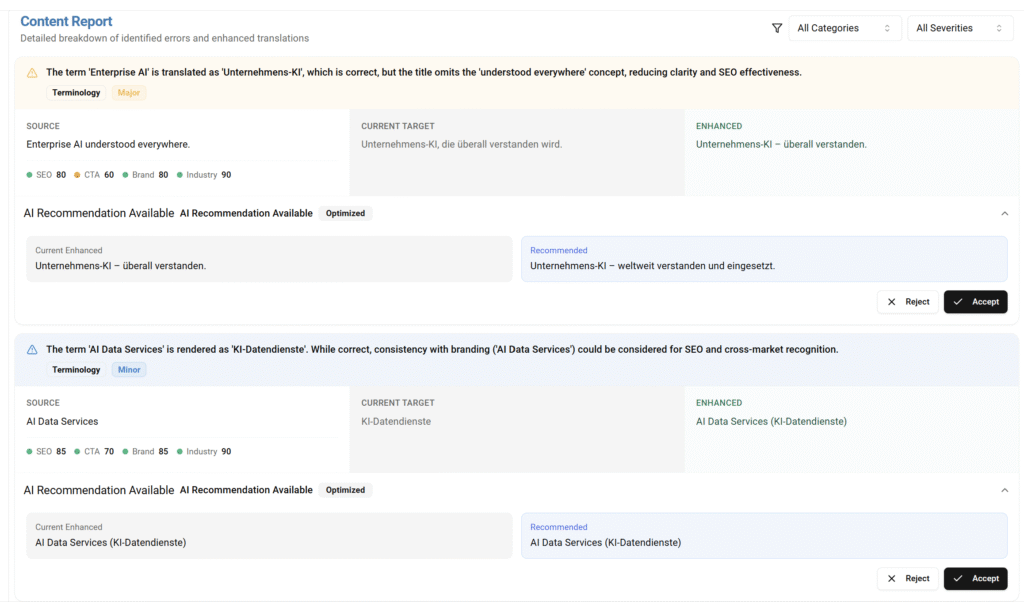
Consider a Fintech article about ‘investment portfolio management.’ In German, the preferred terminology is ‘Portfolioverwaltung’, not ‘Investitionsportfolio-Management,’ which is a direct translation that native German speakers would find awkward. A translation that uses the wrong terminology signals to Google that the page was machine-translated and has low authority for that query in that language.
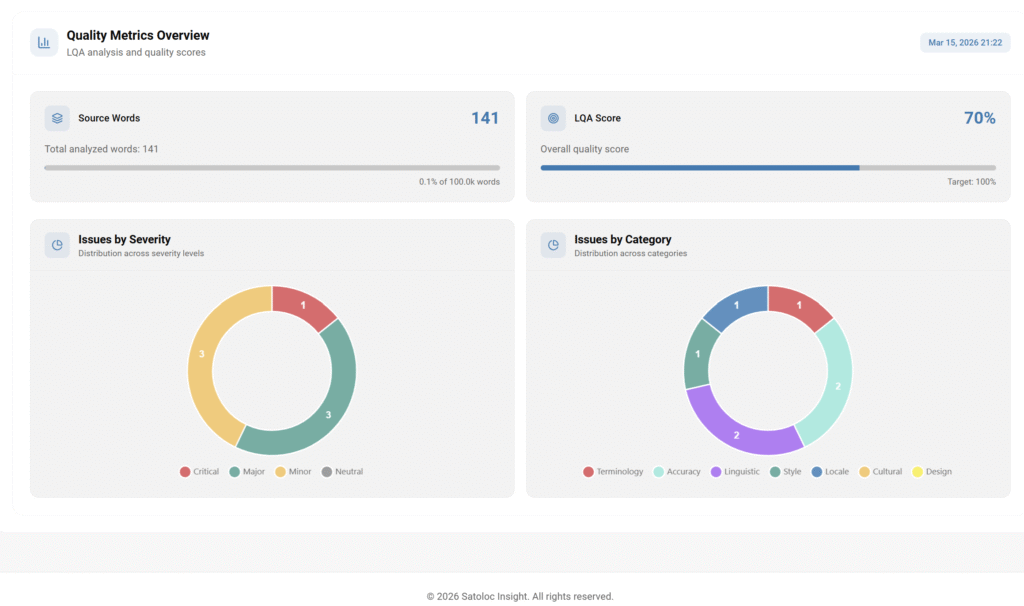
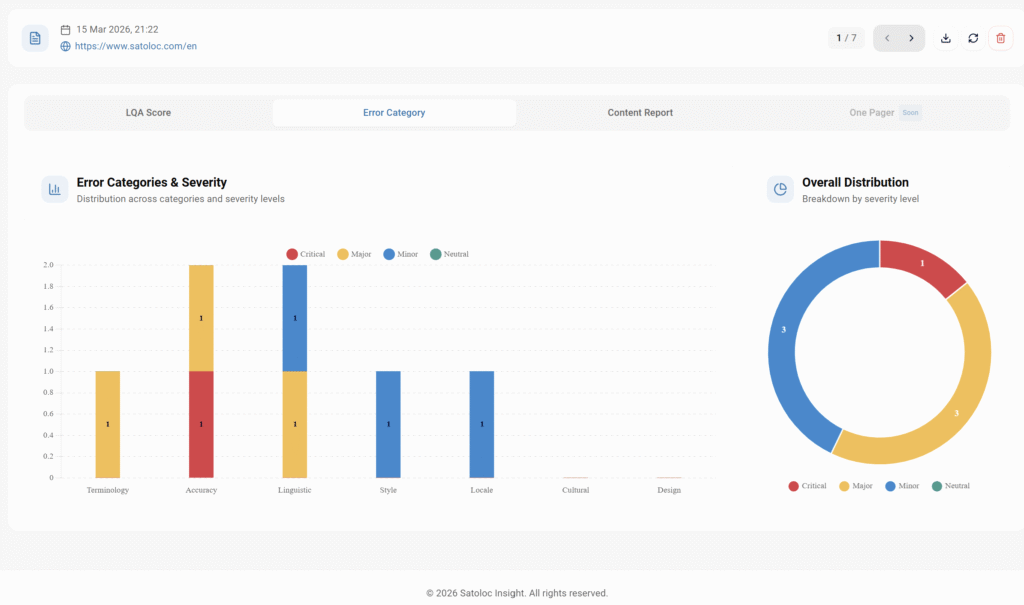
This is what SatoLOC’s AutoLQA (Automatic Linguistic Quality Assurance) engine measures. It scores translations on a 0–100 scale across 7 error categories — Terminology, Accuracy, Linguistic, Style, Locale, Cultural, and Design — weighted by severity. A score below 95 is a reliable indicator that the translation will underperform its English source in that language’s search results.
3. Missing Multilingual Content Infrastructure
Even if your translations are high quality and your hreflang is correct, you can still underperform if your content infrastructure is not set up to support international SEO:
- Language-specific URLs (subdirectories or subdomains) not configured consistently
- Canonical tags pointing back to the English version, effectively telling Google to ignore all other languages
- No XML sitemap entries for translated pages
- Core Web Vitals that differ by region: pages loading slowly in Turkey, Germany, or Brazil due to server geography
- Translated pages with no internal linking to other pages in the same language
Each of these issues individually reduces your international ranking potential. Together, they make it nearly impossible to rank regardless of how good your content is.
How to Audit Your Multilingual SEO in 60 Minutes
Here is the exact audit framework we use with SatoLOC Insight clients. You can run this manually or use our free Multilingual SEO Health Score tool (more on that below).
Step 1: Validate Your Hreflang (10 minutes)
- Go to GSC → Indexing → Pages → filter by “Excluded” → look for “Alternate page with proper canonical tag” or “Duplicate without user-selected canonical.”
- Use a crawler (Screaming Frog, Sitebulb, or SatoLOC Insight’s built-in crawler) to extract all hreflang annotations from your site. Verify: self-references exist, return tags are reciprocal, locale codes are correct (use ‘en-GB’ not ‘en’ for country-specific targeting), and all referenced URLs return a 200 status.
- Cross-reference your hreflang implementation in HTML head tags against your XML sitemap. They must be consistent.
Step 2: Score Your Translation Quality (20 minutes)
- Select 5 high-traffic translated pages, ideally pages that ranked well in English but are underperforming in the target language.
- Run each through a translation quality check. At minimum, look for: unnatural phrasing, incorrect industry terminology, meta descriptions that no longer match the translated content, and heading tags that have been translated too literally.
- Check keyword alignment. The keywords you optimized for in English may have completely different search volumes and competition profiles in your target language. German users searching for ‘portfolio management software’ search for different exact terms than English users. Validate your translations against local keyword data.
Step 3: Check Your Technical Infrastructure (15 minutes)
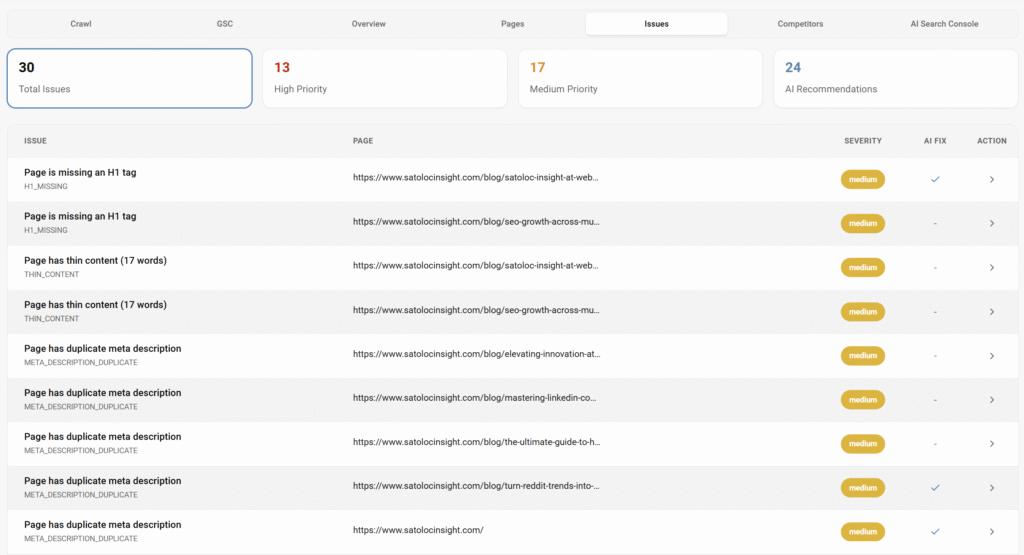
- Confirm canonical tags. Every translated page should be self-canonical, not pointing to the English version.
- Check your XML sitemap to confirm all language versions are included.
- Use PageSpeed Insights or Google Search Console’s Core Web Vitals report to check performance metrics for each language version. If your server is located in the US and you’re targeting Turkey or Germany, performance will differ significantly.
- Audit internal linking. From your German homepage, how many internal links go to other German pages vs. back to English pages? Low internal linking within a language cluster weakens the entire cluster’s ranking power.
Step 4: Analyze GSC Performance by Language (15 minutes)
- In Google Search Console, segment your performance data by country. Compare clicks, impressions, CTR, and average position for each target market against your English baseline.
- Identify pages with high impressions but low CTR in the target language — this indicates the translated meta title and description are not compelling in that language.
- Look for ranking positions 6–15 for target-language queries. These are your quick win opportunities. Small content and technical improvements can move these to page 1.
What Good Multilingual SEO Looks Like
When all three layers are working correctly — technical hreflang, high-quality localized content, and proper infrastructure — the results compound. Here is what you should expect to see within 90 days of fixing the issues above:
- Indexed pages: all language versions appearing in the target market’s Google index
- Distinct ranking profiles: each language version ranking for local-language queries, not just appearing as a translated version of the English page
- CTR parity: translated pages achieving click-through rates within 20% of the English version for equivalent query types
- Core Web Vitals consistency: performance scores within 10 points of the English version for users in the target geography
These are achievable benchmarks for any site that is currently suffering from the three problems outlined above. None of this requires rebuilding your site — it requires a systematic audit and targeted fixes.
| Get Your Free Multilingual SEO Health Score: Connect your Google Search Console to SatoLOC Insight and find out hreflang errors, translation quality scores per language, Core Web Vitals by market, ranking gaps vs. English baseline. Takes 2 minutes to connect. Free during beta. → Schedule your call or send your beta request, then start your free audit at satolocinsight.com. |
Key Takeaways
- 78% of multilingual websites have at least one hreflang error that suppresses international rankings
- Translation quality affects search rankings.
- Technical infrastructure issues (canonical tags, sitemaps, Core Web Vitals) compound translation problems
- A 60-minute audit using the framework above will surface the 3–5 highest-impact issues on any multilingual site
- None of this requires rebuilding your site. Systematic fixes to existing pages produce measurable results within 90 days
SatoLOC Insight was built to solve exactly these problems. Our multilingual SEO engine runs 30+ analysis types across every language version of your site, flags issues by severity, and generates content improvements directly in the platform. If you are investing in international growth, a multilingual SEO audit is the highest-ROI activity you can do today.
Leave a Reply