
Most AI content tools stop at the draft. You generate, you edit and then you are on your own. Export the text. Switch to your CMS. Format it again. Set a publish date. Hope you don’t forget Friday’s post.
That handoff is where content momentum dies.
SatoLOC Insight Content Studio now eliminates it entirely with a built-in content calendar and scheduled auto-publishing to WordPress.
From Draft to Published Without Leaving the Editor
Content Studio already handles the full content creation workflow: AI-powered generation with brand context, rich-text editing, image generation with logo overlay, and multi-language support. Scheduling closes the last gap.
Now the workflow looks like this:
Generate → Edit → Schedule → Auto-publish.
One tool. One flow. No handoff to another platform.
How Scheduling Works in Content Studio
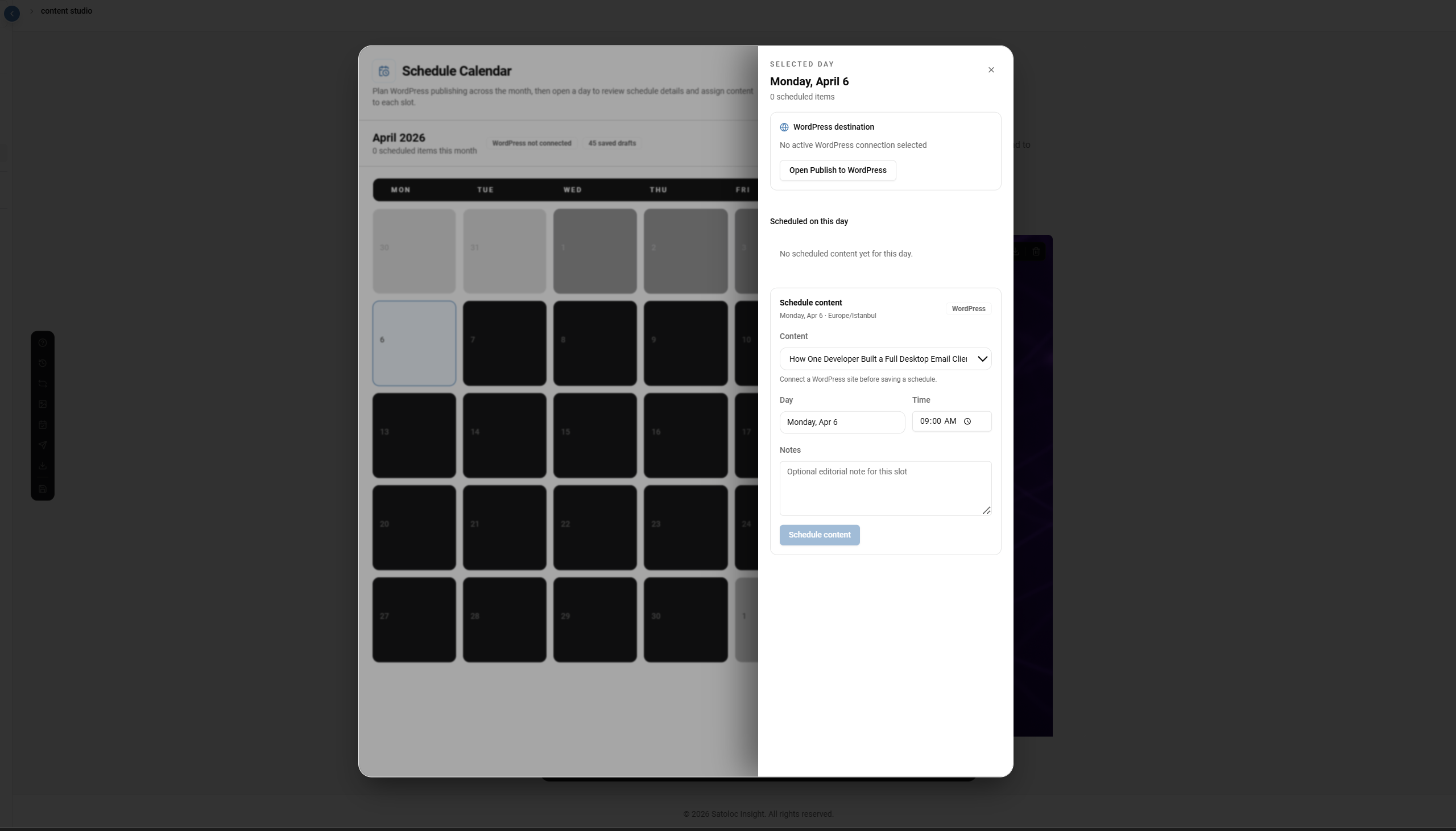
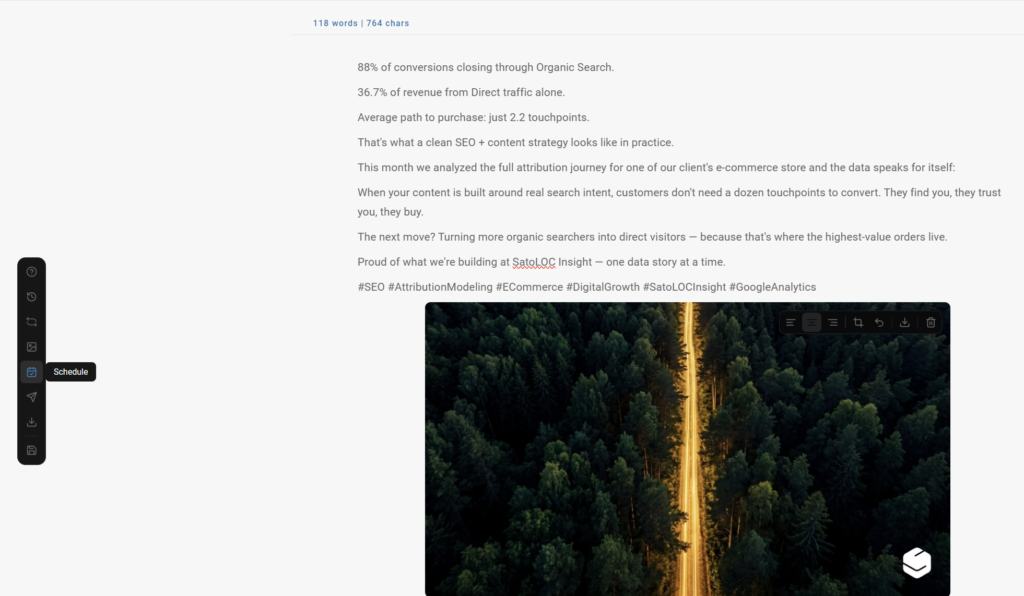
Open the Schedule Calendar directly from Content Studio. You’ll see your full month at a glance — what’s scheduled, what’s empty, where the gaps are.
Click any day to schedule content:
Pick your content from your saved drafts — the same drafts you’ve been writing and editing inside the editor. No importing or re-uploading.
Set the day and time in your local timezone. Content Studio detects your timezone automatically, whether you’re in Istanbul, New York, or Berlin. What you set is what publishes.
Add an editorial note for context — useful when you’re batching a week of content in one sitting and need a reminder of why you slotted a piece where you did.
Hit Schedule. When the time arrives, Content Studio publishes it to your connected WordPress site automatically.
Why This Changes the Content Production Workflow
A content calendar isn’t just a scheduling tool. It’s visibility into your entire publishing pipeline.
When you can see your month laid out — what’s going live Monday, what’s empty on Wednesday, which weeks are light — you stop reacting and start planning. Content production becomes a system instead of a recurring scramble.
And because scheduling lives inside the same editor where content is created, there’s no gap between writing and publishing. The draft you edited five minutes ago is the same draft you schedule for next Tuesday. No version confusion, no copy-paste formatting issues, no forgotten posts.
What’s Available Now
Content Studio scheduling currently supports:
- Monthly calendar view with day-level scheduling slots
- WordPress auto-publishing at your chosen date and time
- Timezone-aware scheduling with automatic detection
- Content selection across all saved Content Studio drafts
- Editorial notes per scheduled slot
- Direct access to WordPress publish settings for additional control
What’s Coming Next
Scheduling is the foundation for a broader editorial workflow inside Content Studio. Next on the roadmap:
Multi-platform scheduling — the same calendar view will support publishing to LinkedIn, Instagram, and additional channels, so one editorial calendar drives your entire content distribution.
Publish-readiness checks — before a scheduled post goes live, Content Studio will flag missing metadata, weak internal links, missing calls to action, or incomplete drafts. Catch issues before your audience does.
Editorial status tracking — clear visibility into which drafts are in progress, which are scheduled, which published successfully, and which need attention.
The Full Loop, in One Platform
SatoLOC Insight Content Studio is the only platform that combines AI content generation, brand-aware image creation, SEO optimization, multi-language support, and now scheduled publishing in a single editor workflow.
No more stitching together a generation tool, an image editor, a CMS, and a scheduling app. Create content, make it visual, make it on-brand, and get it published. All from one place.
Leave a Reply